
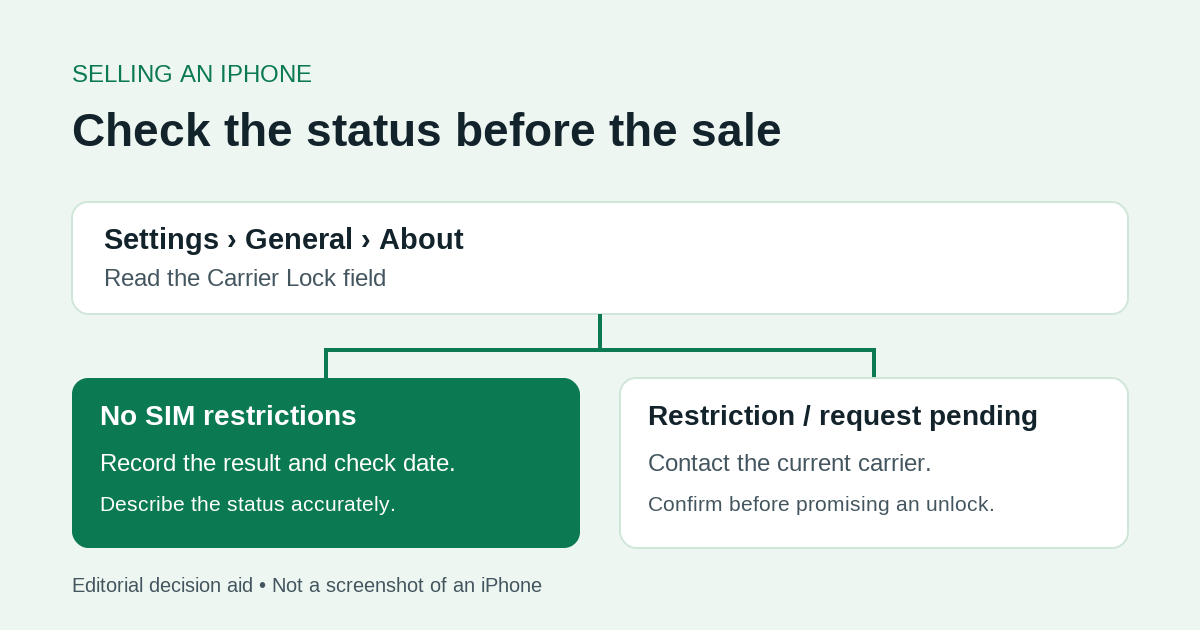
Before advertising an iPhone as carrier unlocked, open Settings > General > About and check Carrier Lock. Apple says “No SIM restrictions” means the iPhone is unlocked. If that message is missing, contact the current carrier and confirm the result before promising a buyer they can use another network.
Check the phone before writing the listing
Do this while you still have the phone and can open Settings. Copy the wording you actually see into a private sale note, along with the model and the date you checked. A dated record helps you answer a buyer’s question without relying on memory.
Separate what you observed from what you requested. “Unlock requested” describes a pending action. “Carrier unlocked” describes a result. Listing the first as the second creates a problem if the buyer expects to activate the phone immediately.
Apple’s carrier-unlock guide provides the check and the follow-up steps. The guide was checked on November 17, 2026.
Contact the carrier before agreeing to an unlocked sale
Only the current carrier can unlock an iPhone for use with another carrier; Apple cannot do it. Apple also says the carrier may take a few days to complete the request. Don’t schedule an immediate handoff around a request that is still open.
Ask the carrier whether the phone is eligible now, what action you must complete first, how you will receive completion confirmation, and what to do if a restriction remains afterward. Keep the response and the request reference privately. For the listing, share the status in plain language without publishing account correspondence containing personal details.
A carrier saying it received your request gives you a useful reference, but the buyer is buying the phone’s current condition. Keep your listing aligned with that condition until you can check the completed result.
Follow the correct route after carrier confirmation
Apple’s next steps depend on how you activate the phone afterward. For a different carrier’s eSIM, Apple directs you to its eSIM setup instructions. With a physical SIM from another carrier, the guide says to remove the old SIM, insert the new one and let the iPhone activate.
Without another SIM, Apple describes a backup, erase and restore sequence. Read the instructions and confirm your backup before taking an erase step; erasure can remove your data. This is a follow-up to carrier confirmation, rather than a promise that resetting any locked phone will unlock it.
If you cannot complete the appropriate check before selling, describe what remains unresolved. Give the buyer room to decide whether that condition fits their plans.
Match your listing to the evidence you have
Use these wording templates only when they match your phone. Bracketed details need your own information.
Settings shows “No SIM restrictions.” Suggested wording: “Carrier Lock checked on [date]: No SIM restrictions.” The buyer should still confirm their intended service fits the device.
The carrier accepted a request. Suggested wording: “Carrier unlock requested; completion pending.” Update the listing after the carrier confirms completion and you recheck the phone.
A restriction remains. Suggested wording: “Carrier restriction shown; unlock status unresolved.” Resolve it or agree to a sale with that condition disclosed before the buyer pays.
You cannot open Settings. Suggested wording: “Carrier-lock status not verified.” Avoid an unlocked claim based only on assumption.
Use the date you actually checked. Don’t copy a sample date or turn a carrier’s estimated completion time into a guarantee.
If the buyer sees a SIM-not-supported message
Apple’s guide directs people on iOS 14 or later to check Carrier Lock again and contact the carrier when “No SIM restrictions” is absent. Follow that route before assuming another reset will help.
For the sale record, keep two notes: the phone’s displayed status and the carrier’s response. This makes the next conversation more useful than a general claim that the phone “should work.” If the buyer uses another network, ask them to identify it when discussing the problem, without exchanging passwords or verification codes.
Finish the sale with the same accurate description
The carrier check answers a narrow question. Your sale also needs an accurate description of the phone’s condition, an agreed payment method and a plan for your personal data before ownership changes.
A practical order is to check the restriction, resolve any carrier request, update the listing, then arrange the handoff. If the result changes while the item is advertised, change the listing and tell the buyer before they travel or pay.
The most useful sentence in the advert is the one you can support with the phone in front of you.