
Pause the parcel if it hasn't left you. Open the order in eBay and compare its shipping address with the buyer's request. For an eligible unshipped order, use cancellation and a fresh purchase with the right address. Check any purchased shipping label separately before preparing the replacement shipment.
eBay's address-change guide recommends canceling and buying again when an item hasn't been sent. Here is how to handle the seller's side without mixing up the original order, its label and the replacement purchase.
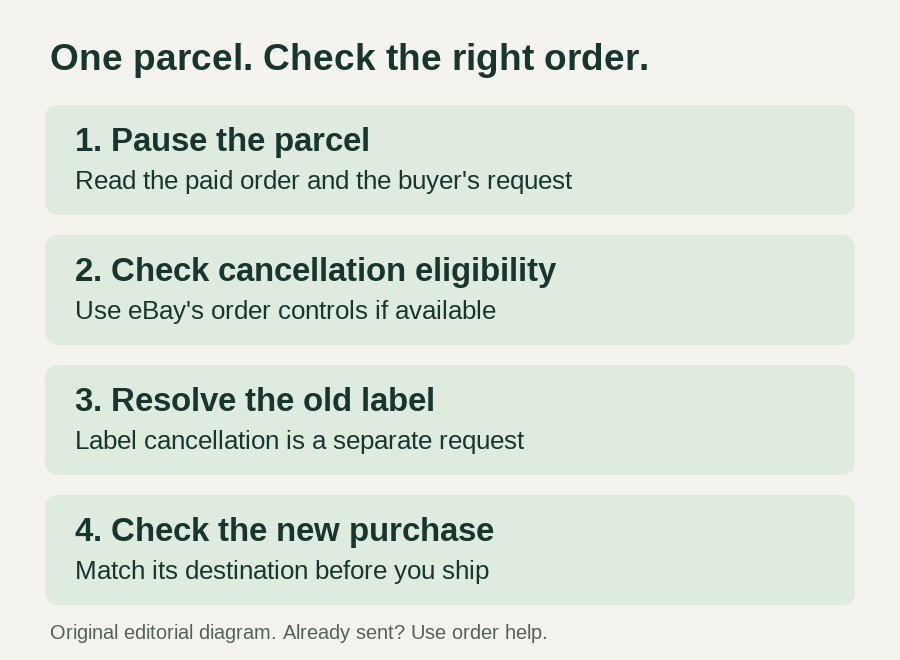
1. Open the paid order before changing anything
Read the address in Order details. Then read the request in the buyer's eBay messages. Keep the parcel aside while you establish whether the issue is a different destination, a shipping-service request or an update to the buyer's saved account address.
Those situations need different actions. For example, a buyer who selected an old home address needs the destination corrected through the purchase process. A buyer who wants faster delivery to the same home is asking about the shipping service. Don't treat the second request as permission to change the first.
Changing a saved address in My eBay doesn't correct the address on an already paid purchase. eBay explains this in its account-address instructions. Ask the buyer to check the address displayed at checkout when purchasing again.
2. Use cancellation for an eligible unshipped order
First explain the proposed cancellation and replacement purchase to the buyer. Then open Orders in Seller Hub or My eBay, find the transaction and choose More actions, followed by Cancel order, if available. Select the reason that accurately describes what happened.
eBay's seller cancellation instructions describe these controls and say cancellation triggers a full refund for a paid order. Check the cancellation and refund status in eBay before treating the old purchase as closed.
If the buyer submits a formal cancellation request, eBay gives the seller 3 calendar days to respond. A paid order doesn't automatically disappear because you left the request unanswered. Use the actual order status to decide what remains to be done.
Cancellation also has eligibility limits. The order cancellation policy lists a wrong checkout address as a possible reason, but excludes orders already shipped or collected, orders with an item-not-received report or an open return, and orders more than 30 days old. If the controls aren't available, check with eBay through the order instead of inventing a workaround.
3. Deal with the old shipping label separately
A printed label can still be sitting beside an unmailed box. Check its status and the order's status independently. If eBay already marks the order as shipped, don't assume that physically holding the parcel makes ordinary cancellation available.
For an unused USPS, FedEx or UPS label bought on eBay, the current label cancellation instructions give 28 days to request cancellation. Find the label in Shipping Labels or Manage shipping labels and use Cancel Label. The carrier can take up to 21 days to approve or reject a refund.
There are exceptions: a printed eBay standard envelope label can't be canceled. A QR code scanned at a participating drop-off point to print the label makes that label used under eBay's rules, so it can't be canceled either.
Keep the old label away from the replacement parcel while you resolve it. Covering the printed destination with a new address doesn't reconcile the old purchase with a new buyer destination.
4. Check the new purchase before sending the parcel
Once a replacement purchase appears, open that specific order. Compare the destination with the corrected details the buyer intended to use. Prepare the shipment from the new order, so the parcel, label and tracking correspond to the purchase you're fulfilling.
This matters when evidence is needed later. eBay's payment dispute seller protections require delivery evidence matching the checkout address for relevant nonreceipt or unrecognized-transaction disputes. Tracking must show delivery status, delivery date and the matching recipient location. Other eligibility and response requirements also apply; a matching address alone doesn't guarantee protection.
For an ordinary selling workflow, this is a useful final check: Which paid order does this parcel fulfill, and does its destination match that order? Resolve a mismatch while the box is still on your table.
What if the parcel has already been sent?
Tell the buyer what tracking shows and keep the conversation attached to the order. eBay's address guide says an order already sent can't be changed by the seller; its cancellation policy also excludes shipped orders. Direct the buyer to eBay's order help for the remaining options in their situation.
Avoid promising a redirect or a refund before the shipment and order have been reviewed. If the parcel returns to you, check the order's current status with eBay before arranging another shipment. A return to sender doesn't itself create a replacement purchase with a corrected destination.
A short reply for the buyer
You can adapt this wording after checking that the parcel is still with you:
“Thanks for letting me know. I still have the parcel. I'll check whether this order can be canceled through eBay so you can purchase again using the correct shipping address. Please check the Ship to details at the new checkout. I'll confirm the next step here in eBay messages.”
For another kind of payment problem, see what to do about an overpayment request. If you're still choosing a sales channel, compare the options in sites to sell your stuff.