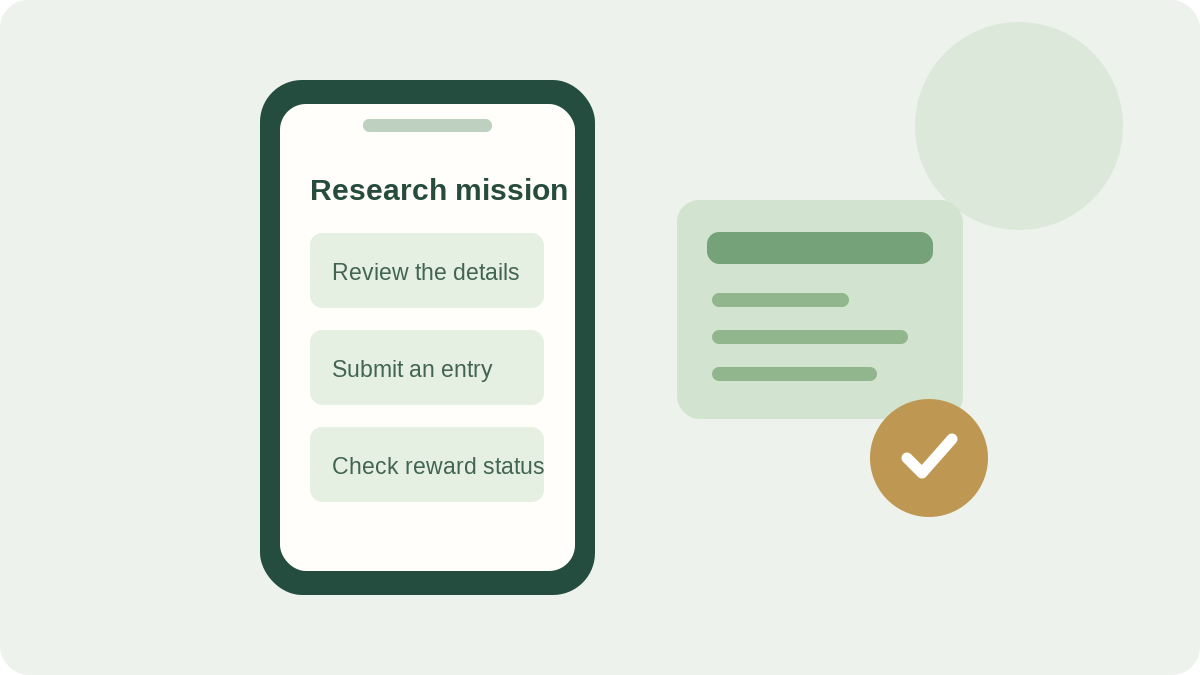
Dscout connects participants with research activities it calls missions. Depending on the project, a mission may ask for observations over time, a live conversation or a shorter activity. The opportunity can be interesting if you like sharing detailed feedback, but applying does not guarantee selection and an application itself is generally unpaid.
We reviewed Dscout's published participant help pages for this guide. Selection and earnings vary by mission and participant.
What is Dscout?
Dscout is a research platform used by teams seeking feedback about products, services and experiences. Participants, called scouts, can browse available opportunities and apply to those that fit. A mission listing describes its activities and reward; read the details because the commitment and eligibility can vary substantially.
It is different from taking a succession of short, general surveys. A researcher may need a specific kind of participant, and a mission can involve several entries or a scheduled session. Treat each opportunity as a separate application rather than assuming that every listing is available to you.
How to apply for a mission
Dscout says participants can browse the Explore tab in its mobile app and complete a screener for an opportunity. Some applications ask for written responses, photos or video. Answer truthfully and check what you are comfortable recording before submitting.
The operator says mission applications are unpaid. The displayed reward refers to participation in the mission if you are selected and complete its requirements, not to the time spent applying. Researchers review applications and decide whom to invite; there may be no invitation even after you finish the screener.
Before applying, check the deadline, the activity format, expected time, reward, device requirements and any restrictions. If the listing asks for several days of entries, include all of that time when deciding whether the reward is worthwhile.
Mission types and time commitment
Diary missions can involve recording activities or answering prompts across a period of time. Read the schedule and the instructions for each entry. The mission leader reviews what you submit and may communicate through the app.
Live missions involve a scheduled research conversation or activity. Confirm the time zone, equipment, connection and any permission requirements before accepting a session.
Express missions are shorter opportunities with their own availability, completion and quality requirements. Dscout's help page describes different payout timing for some Express missions, so use the confirmation shown for the specific activity instead of assuming the general timeline applies.
The relevant question is not only the listed reward: consider unpaid application time, preparation, recording, follow-up and any commitment across multiple days.
Complete a Dscout Diary mission: entries, locks and uploads
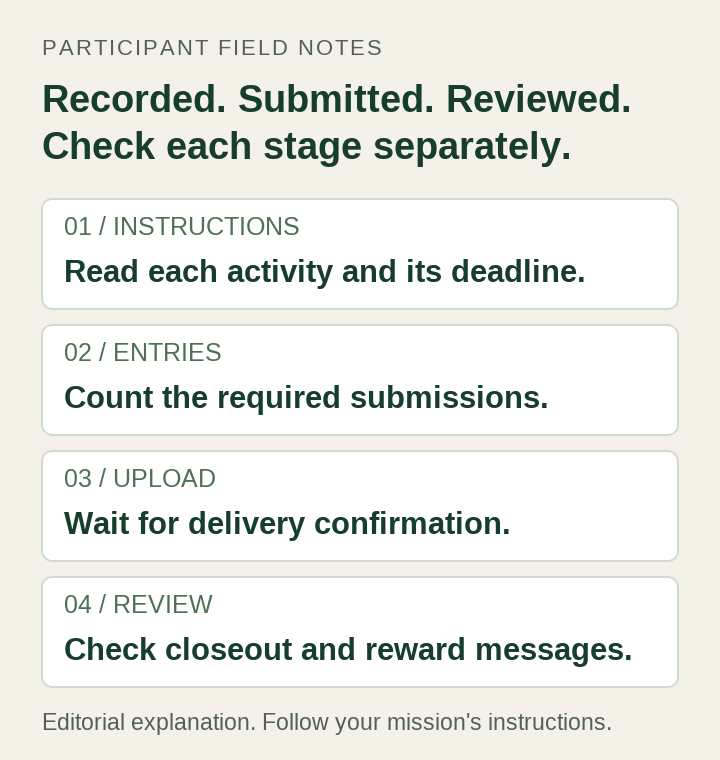
A Diary mission can have several activities, each with its own entry requirement. Before recording, open the mission overview and each activity's instructions. Note the deadline, required entries and device. After submitting, check that the entry and its media arrived; finishing the questions alone doesn't establish that the upload succeeded.
1. Make a small activity checklist
Use a private note with one row per activity: activity name, required entry count, deadline and submitted count. Add the time zone exactly as the researcher states it. If a deadline is unclear, ask the mission leader before you plan your recording time.
For example, an activity needing four entries could have this note: “Daily observations — four entries — deadline as stated in the instructions — two confirmed submissions.” This is an example of a tracking note, not a sample mission or an earnings claim. Leave room for follow-up messages and don't copy confidential prompts into a public calendar.
One activity can require repeated observations. Counting the activities on a mission card can therefore understate the work involved. Dscout's participant glossary distinguishes the whole mission, its activities and each set of answers submitted as an entry.
2. Read why an activity is locked
An automatic mission opens the next activity after the required entries in the previous one are complete. A manual mission waits for the mission leader to release an activity. Check the lock explanation and entry counter before recording extra material. If a researcher-controlled activity is still locked near its deadline, message the leader. Dscout explains both cases in its Diary participation guide.
Review an entry before submitting: its answers can't be edited afterward. Dscout supports comments on submitted entries. Explain a correction there or ask the leader how to handle it, rather than assuming a new entry replaces the original.
3. Confirm desktop uploads before closing the browser
A desktop activity has an extra handoff: recording, uploading and submission confirmation. Dscout says the upload progress graphic changes to a confirmation when the upload finishes. Wait for that confirmation before closing the browser.
If progress appears stuck, inspect the Dscout browser extension's Uploads tab. It shows active and failed uploads; a failed upload has a retry control. An empty Uploads tab alone doesn't prove a particular entry arrived, because it doesn't list completed uploads. Check the entry in the mission too. Follow the desktop upload guide for the state you actually see.
Keep this distinction in your tracking note: “recorded” means you made the response; “submitted” means you confirmed delivery. If a video is missing, tell the mission leader which activity and entry are affected, together with the time and the visible error. Use the official support process for any requested media transfer.
4. Separate mission status from reward status
A finished mission can remain under In Progress until the project team closes it. Dscout's app guide says that status can include recently finished work. You can still message the leader from a closed Diary mission.
For rewards handled by Dscout, the payment guide describes entry review and approval, followed by a payment message stating the expected date. It says payment should arrive within 10 business days of mission closeout. For externally recruited projects, Dscout may not handle payment; confirm the payer with the recruiter rather than applying that timeline to every study.
If you need an update, send a precise question: “I've confirmed the required entries for this activity. Is anything outstanding, and has this mission been closed out?” Keep the activity checklist until the reward is resolved. It gives you a clearer support request than the fact that you finished recording on a particular day.
How much can you earn?
There is no guaranteed rate or predictable number of invitations. Rewards vary with the study and its requirements; some applications will not lead to a place. A high displayed amount can be less appealing once you include the full time commitment and the likelihood that you may not be selected.
Use the reward and requirements on the specific mission card to make your own comparison. Do not pay for an app, product or equipment just to pursue a mission unless you have independently decided the purchase is worthwhile and understand the conditions.
How does Dscout pay?
Dscout's participant help says rewards are sent through PayPal and that a PayPal account is currently needed to receive them. Confirm the PayPal address and account eligibility in your profile before accepting a mission. Check the official help pages again if payment methods change.
For standard missions, Dscout says payments should be received within 10 business days of the mission closing out. That closeout can be later than the day you submit your own final entry. Its help material says the team reviews submissions and sends a message with an expected reward date; the specific instructions for Express missions may differ.
These are the operator's stated procedures, not a promise that every payment will arrive on a particular day.
What if payment does not arrive?
Check whether the mission has closed, whether all required entries were submitted and whether you received an in-app message with a payment date. Look directly in your PayPal account and check your Dscout account details. If you receive a failed-payout notice, Dscout lists possible account issues and advises contacting its support team if the suggested checks do not resolve the problem.
Use the official app or help centre to contact support and include the mission details and status. Do not send a password, one-time code or unrelated financial information in a support message.
Privacy and eligibility
Research tasks can involve sharing opinions, photos, recordings or details about your everyday life. Review each mission's instructions and privacy terms before applying; avoid revealing another person's information without permission. If a prompt asks you to record your surroundings, check what will be visible and whether you are comfortable with it.
Availability depends on the mission and location. Dscout's Express help page describes location limits for that format. Keep your profile accurate; changing a location merely to obtain an unavailable opportunity is not a sound way to establish eligibility.
Advantages and limitations
Potential advantages: Missions can cover a variety of research formats, the reward is shown before application, and Dscout publishes help about applications and payment.
Limitations: Applications are unpaid, selection is uncertain, some missions require recording or multi-day participation, and the currently documented payout method requires PayPal. A mission's reward and closing date are not the same as money already received.
Is Dscout worth considering?
It may suit someone comfortable with detailed research tasks who can wait for an opportunity that matches their background. It is less suitable if you need predictable daily income, cannot receive PayPal payments or do not want to share the information a particular study requests.
Compare the actual commitment and privacy requirements before applying, and treat any reward as uncertain until the required work is approved and the payment has arrived.
Frequently asked questions
Are applications paid?
Dscout says applications to missions are unpaid. A mission reward applies to qualifying participation after selection, not to the application alone.
Does an application guarantee a mission?
No. The research team selects participants based on its requirements.
When does the standard payment clock start?
Dscout's general reward guidance refers to the mission closing out, which may be later than your final submission. Check your mission message for its stated payment date.
What sources does this review use?
This article evaluates Dscout's published participant information.